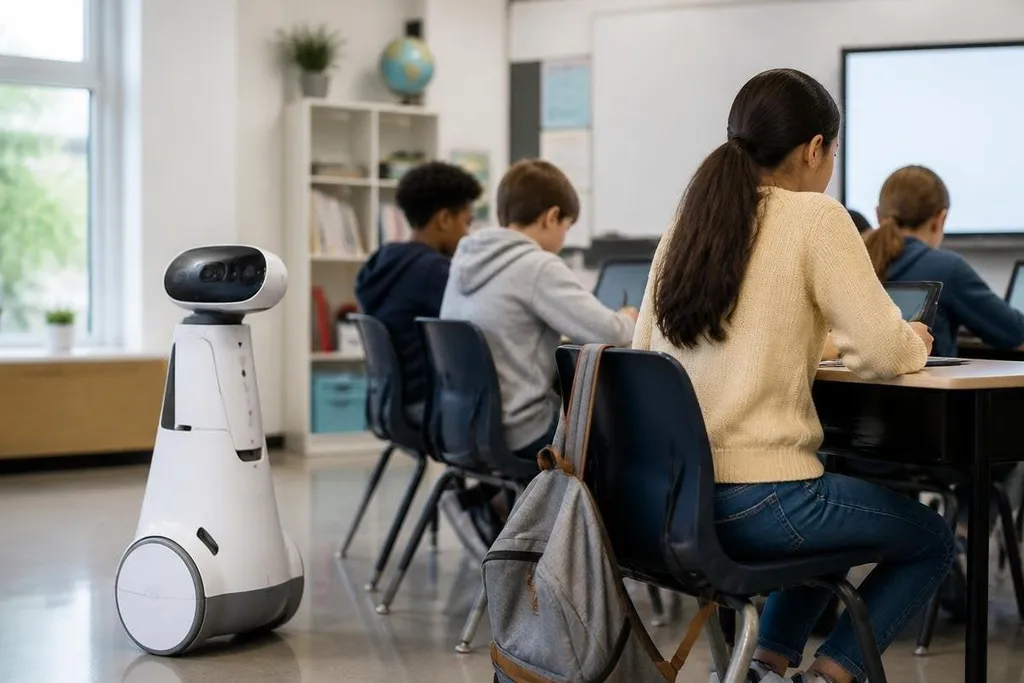
A classroom robot may record video, hear speech, track movement, or store student work. That makes privacy part of the robot’s design, not a task for the school office after installation.
If you’re choosing an educational robot, ask what it collects, where it goes, who can see it, and when it gets deleted.
Quick read
- Cameras and microphones can collect student data during normal lessons.
- Cloud storage and vendor accounts can move that data outside the classroom.
- A written retention, access, and deletion plan should exist before the robot is used.
What the robot can collect
The privacy risk starts with the sensors. A camera may record faces, clothing, whiteboards, and student work. A microphone may pick up speech from a whole room, including conversations that have nothing to do with the lesson.
Those systems can also create records from those inputs. Its software may log a student’s name, spoken commands, location in the room, task results, or time spent on an activity. Even when a system does not ask for a student’s name, repeated records can still point to a specific child when combined with class schedules or account details.
That link matters because a robot’s records can show more than a single assignment. They may reveal who needed help, who entered a room, who spoke during a session, or how a student moved through a task. Schools need to decide which of those records serve teaching, safety, or maintenance before collection starts.
Where the information goes
Many robots depend on a vendor account, remote software, or cloud storage. The robot may send recordings and system logs away from the school for speech recognition, analytics, support, or software updates. The product page may describe these services in broad terms, so the purchasing team needs direct answers from the vendor.
Ask if the robot can run with cameras and microphones off. Check if the system can process speech on the robot instead of sending audio to a remote server. Find out which data the vendor keeps, which companies can access it, and whether the school can remove records without waiting for a support ticket.
A school should check those answers against the robot’s full data path, from its sensors to the vendor’s storage system. Robot data reporting from Robot24.com can place the machine’s software and data providers beside the privacy policy. That record matters when the next question is who can open a student’s file.
Who gets access
Access should match the job. A teacher may need lesson results, while a maintenance worker may need motor faults and battery status. Neither person may need raw classroom video or audio.
Separate accounts are safer than one shared password. Schools should record which staff can view student records, require strong sign-in methods, and remove access when a person changes role. Vendors should have their own limited support access, with a record of when they connect and what they can see.
A clear response plan also matters for a lost tablet, stolen login, exposed recording, or software error.
Staff need to know who receives the report, which systems get disconnected, and how the school contacts affected families under its local rules.
How long records should stay
Storage has a cost beyond money. The longer a school keeps a recording or student profile, the longer it can be copied, exposed, or used for a new purpose.
Set a deletion period for each type of record. A motor fault may need to stay until a repair is complete. A lesson recording may need no storage after the teacher checks it. Student accounts should have a removal process when a class ends or a student leaves the school.
Automatic deletion helps, but someone still needs to check that it works. A school can ask the vendor for a sample deletion report and a clear description of backups. If deleted files remain in backups for a set period, that period belongs in the school’s privacy plan.
A school privacy checklist
Use these questions before a classroom pilot receives approval:
- Sensor control: Can staff disable video, audio, or location tracking for a lesson?
- Data map: Which inputs become records, and which records include student names or account IDs?
- Storage location: Does information stay on the robot, on school equipment, or with a cloud vendor?
- Access list: Which teachers, administrators, technicians, and vendor staff can view each record?
- Deletion test: Can the school remove a student’s records and confirm that the request worked?
- Family notice: Can the school explain the robot’s data use in plain language before lessons begin?
The strongest plan collects less information and gives each record a clear reason to exist. Schools should test that plan with a small class, review the logs, and fix gaps before wider use.
I’d keep classroom video and audio off unless a lesson needs them and the school can explain the full data path. Educational robots can teach coding, movement, and teamwork, but the privacy plan must be ready before the power switch is turned on.